
 Egypt
Egypt  UAE
UAE  USA
USA How to Clean a Fan at Home, Step by Step
Clean a fan’s permitted grille and blades, check storage odors and know when humming, repeated stoppages or electrical damage need service.
We may earn a commission from purchases through our links, at no extra cost to you. Full disclosure.
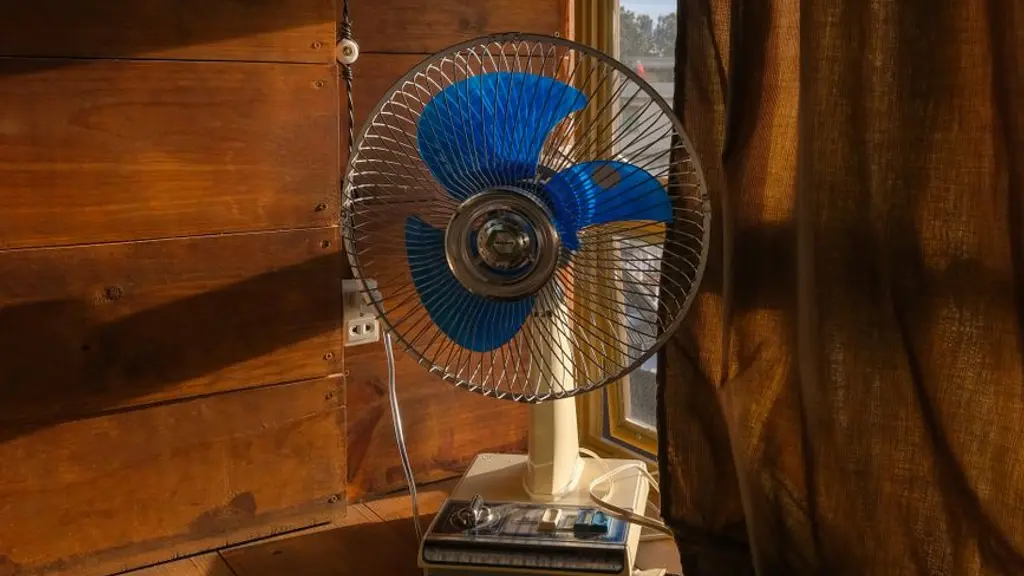
Unplug the fan and wait for the blades to stop before cleaning. Use the exact model’s access instructions: a removable pedestal grille and a fixed tower housing do not permit the same steps.
Grille, blades and tight gaps
Remove a grille or blade only if the manual identifies it as user-removable. Clean accessible dust with the cloth, brush or vacuum method it permits. Do not push a tool deep into vents, bend blades or open the motor housing to reach dust.
Wash a detached part only if explicitly allowed, and dry it fully before refitting it. Plain plastic appearance alone does not establish washing permission. Keep the powered body and motor dry and do not spray cleaner into openings. Follow the model’s schedule and access limits rather than a universal weekly teardown.
Why Does a Fan Smell and How Do I Get Rid of It?
Inspect the unplugged fan for accessible dust and moisture after storage. Clean and dry permitted parts, and store it as directed in a dry place. A musty smell does not identify the cause or rule out a fault.
Do not run it for a few minutes to burn off dust or spray fragrance to conceal a recurring smell. Burning, smoke or an unexplained odor that remains after permitted care needs manufacturer advice. Do not use compressed air inside the motor unless the appliance’s own instructions permit it.
Fan Not Working: What to Check Before Replacing It
Inspect the cord and controls without opening the fan. Use the manual for its power, switch and remote-battery checks only where the supply and parts are dry, cool and undamaged. Do not keep resetting a tripping circuit.
A humming motor without blade movement needs stopping, not a hand push to start it. Do not assume the sound proves a failed capacitor or that a five-minute rest makes another attempt safe. Persistent stoppage, unusual noise, wobble or a bent blade needs qualified assessment. The motor housing and capacitor are not owner-cleaning parts.
Repair or replace?
Compare the warranty and an actual service assessment before replacing the fan. A smell or silent motor does not establish repair cost. If another fan is needed, compare Saudi options, the buying guide and dated prices.
My fan won’t turn on at all, what should I check first?
Check the exact model’s external controls and permitted power or remote checks. Do not open the motor housing or repeatedly retry a damaged, wet or overheating fan; ask support if it remains unresponsive.
The motor makes a sound but the blade isn’t spinning, why?
Switch it off and disconnect safely. Do not push the blades while power is connected or infer a failed capacitor from humming alone. A stalled fan needs the manufacturer’s checks or qualified service.
My fan shuts off suddenly after running for hours, is that a fault?
Check whether the manual describes a timer or relevant setting. Keep a fan with unexplained repeated shutdowns off and ask support; do not use a generic five-minute reset to keep it running.
When should I replace the fan instead of trying to fix it?
Ask the manufacturer for a diagnosis, warranty position and repair quotation, then compare that with replacement. The symptom alone does not prove which part failed or that replacement is cheaper.
How often should I clean a fan?
Inspect the accessible grille and follow the exact manual’s cleaning schedule. Dust accumulation varies with use and surroundings; it does not justify the same cleaning interval for every fan.
Can you wash a fan grille with water directly?
Wash only removable parts the exact manual explicitly permits, after disconnecting power, and dry them as directed before refitting. Keep the motor and electrical housing out of water.
How do I reach dust trapped in tight grille gaps?
Use the manual’s permitted soft brush or vacuum method on accessible grille openings with power disconnected. Do not push tools inside the motor housing, spray liquids or take apart a sealed tower.
Does cleaning a fan actually improve performance or reduce noise?
Cleaning accessible buildup is routine care, not a diagnosis or a guaranteed cure for noise or weak airflow. If unusual noise continues after permitted cleaning, stop and ask the manufacturer.
Why does my fan smell musty or damp when I turn it on?
Do not judge safety from whether the smell seems dusty or mild. With power disconnected, inspect and clean permitted accessible parts, and contact support if the odor persists. Stop immediately for burning or electrical signs.
Is a burning or smoke smell from a fan dangerous?
Stop for a burning or electrical smell, smoke, unusual heat, damage or stalled blades. Disconnect only when safe and keep it off until qualified assessment; do not run it to clear the odor.
Does storing a fan for a long time cause a smell when I turn it back on?
Do not judge safety from whether the smell seems dusty or mild. With power disconnected, inspect and clean permitted accessible parts, and contact support if the odor persists. Stop immediately for burning or electrical signs.
How do I tell a normal dusty smell apart from one that needs attention?
Do not judge safety from whether the smell seems dusty or mild. With power disconnected, inspect and clean permitted accessible parts, and contact support if the odor persists. Stop immediately for burning or electrical signs.
About this guide
- Editing
- Mizaan Home editorial team
- Text revised
Research based on published specifications, without hands-on testing. How we choose
Prices are checked per product; the oldest check on this page:
Frequently asked questions
My fan won't turn on at all, what should I check first?
Check the exact model’s external controls and permitted power or remote checks. Do not open the motor housing or repeatedly retry a damaged, wet or overheating fan; ask support if it remains unresponsive.
The motor makes a sound but the blade isn't spinning, why?
Switch it off and disconnect safely. Do not push the blades while power is connected or infer a failed capacitor from humming alone. A stalled fan needs the manufacturer’s checks or qualified service.
My fan shuts off suddenly after running for hours, is that a fault?
Check whether the manual describes a timer or relevant setting. Keep a fan with unexplained repeated shutdowns off and ask support; do not use a generic five-minute reset to keep it running.
When should I replace the fan instead of trying to fix it?
Ask the manufacturer for a diagnosis, warranty position and repair quotation, then compare that with replacement. The symptom alone does not prove which part failed or that replacement is cheaper.
How often should I clean a fan?
Inspect the accessible grille and follow the exact manual’s cleaning schedule. Dust accumulation varies with use and surroundings; it does not justify the same cleaning interval for every fan.