
 Egypt
Egypt  UAE
UAE  USA
USA Fan Not Working: What to Check Before Replacing It
We may earn a commission from purchases through our links, at no extra cost to you. How we choose · Disclosure.
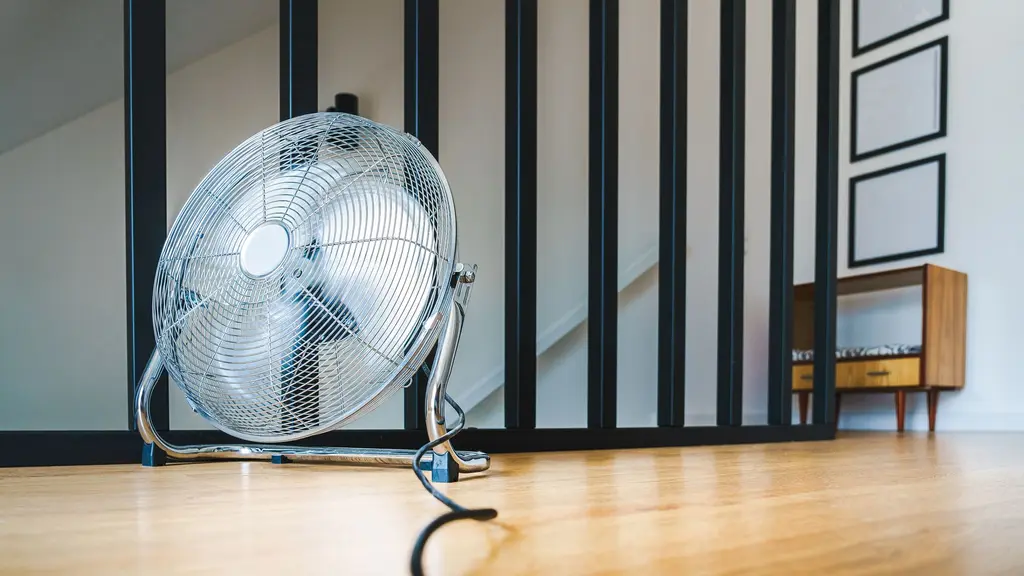
When a fan stops working, start with the simplest possibilities before assuming the motor is dead: make sure the cord is plugged in firmly, try a different outlet, and check the switch itself. A small, visible power or control issue is a common cause, not necessarily a full failure that requires replacement.
The quick answer
Check power delivery first: the cord, the outlet, and the switch. If it still won’t run, unplug it, remove visible dust, and check whether the blade is obstructed. A hum with no spin can point to a weak run capacitor in an AC-motor fan, which a technician must diagnose. These common issues can be cheaper to fix than replacing the fan. Only when the motor smells like it’s burning or stays completely silent despite all of the above does replacement become the sensible option.
Key takeaways
- A sudden full stop commonly comes down to power delivery, not the motor itself: a loose cord, a dead outlet, or a switch that isn’t responding (electric fan definition from Britannica).
- A motor sound with no blade movement points to a mechanical jam or a weak run capacitor, not necessarily a fully dead motor.
- Some fan motors have an automatic thermal cutout, so a sudden stop after hours of running can be a temporary protection that clears once the motor cools.
- The run capacitor is a small part that generates the starting torque in AC-motor fans, and it weakening over time is a common cause of a motor that hums without spinning (capacitor background from Britannica).
- Outlet, switch, and capacitor issues are cheaper and faster to fix than assuming the motor is dead.
Diagnostic steps in order when a fan won’t run
Follow these steps in order before assuming the fan is fully broken:
- Make sure the cord is plugged in firmly and the outlet itself works, testing it with another device if possible.
- Try a different power outlet to rule out a dead circuit or a faulty socket.
- Check the on/off switch or the remote if it has one, since a weak remote battery or a worn switch can block operation without the motor itself being at fault.
- Unplug the fan completely and check the blade by hand, to confirm it spins freely with no dust or hair wrapped tightly around the shaft.
- Let the unit cool for five minutes if it stopped after long continuous hours of running, since some motors cut out automatically to protect from overheating and come back after a short rest.
Common symptoms and their likely causes
| Symptom | Possible cause | Fix step |
|---|---|---|
| Won’t turn on at all, no sound or movement | Cord, outlet, or switch issue | Try a different outlet and check the switch and cord |
| Motor makes a sound but the blade won’t spin | Weak run capacitor or a mechanical jam | Unplug, remove visible dust, check the blade, then call a technician if humming continues |
| Sudden stop after long hours of running | Automatic thermal overload protection | Let it cool, then turn it back on |
| Won’t oscillate even though the blade spins normally | Fault in the oscillation mechanism alone | Separate from the motor and can be a cheap fix |
| Burning smell with a full stop | Genuine damage to the motor windings | Stop using it immediately and consider replacing it |
When is the issue specifically the run capacitor?
If the blade spins freely by hand once the fan is unplugged, but the fan hums when powered on without starting to spin on its own, a weak run capacitor is a common possible cause in AC-motor fans. The capacitor generates the initial push that gets the blade turning, and it can lose that capacity over years of use. A technician can test it and, if necessary, fit a replacement matched to the correct microfarad rating. DC motors in newer fans do not rely on this type of run capacitor, so this particular failure mode applies to traditional AC-motor fans.
The fan run-capacitor and motor housing are technician-only. Opening them risks electric shock and voids the warranty.
When to stop and call a technician
- The fan still hums without spinning after unplugged dust cleaning and removing any visible obstruction.
- You smell burning.
- The breaker trips when the fan is connected.
When is it worth thinking about a new fan?
If the issue is the outlet, the switch, the oscillation mechanism, or a weak run capacitor, those can be cheap, quick fixes that don’t call for replacing the appliance. But if you’ve checked all of the above and the motor stays completely silent, or it gives off an obvious burning smell, that’s a sign the motor windings themselves have genuinely failed. At that point, a fan with a reliable motor is worth looking at instead of repeating the same problem with another weak unit. A practical example from our shortlist: the DREO Quiet Tower Fan with a DC motor, which sidesteps the run-capacitor failure described above entirely since its motor isn’t a traditional AC-motor design, which is part of why it tops our guide to the best fan in Saudi Arabia. You’ll find its current price and the Amazon.sa link in the card below.
Bottom line
Before assuming a fan is fully broken, check the cord, the outlet, and the switch first, since power and control issues are common causes. Then unplug it, remove visible dust, and check the blade for an obstruction. If the fan still hums without spinning, a technician should diagnose the run capacitor. Replacement is only worth it once a stop comes with a burning smell or the motor stays completely silent despite all the checks. And if you’re already wondering whether buying a fan is worth it in the first place, read is a fan worth buying if you already have an AC?, or if you’ve decided it’s time for a new one on a budget, see the best budget fan in Saudi Arabia. For the full buying criteria, see our how to choose a fan guide, or browse the full fans section.
Sources
- Britannica, “Electric motor”, definition of the electric fan and the design of its motor and blade: https://www.britannica.com/technology/electric-motor
- Britannica, “Capacitor”, background on how a capacitor works and its role in starting a motor: https://www.britannica.com/technology/capacitor
This analysis is based on published information from Britannica (Electric motor), Britannica (Capacitor).
Frequently asked questions
My fan won't turn on at all, what should I check first?
First make sure the cord is plugged in firmly, then try a different power outlet to rule out the circuit. After that, check the on/off switch itself or the remote's batteries if it has one, since most sudden full stops come down to a detail in power delivery, not a motor fault.
The motor makes a sound but the blade isn't spinning, why?
A motor hum with no blade movement usually means one of two things: a mechanical jam from dust or hair wrapped tightly around the shaft, or, specifically in AC-motor fans, a weakening run capacitor that can no longer generate enough torque to start the blade turning. Unplug it and check the blade by hand first to confirm it spins freely.
My fan shuts off suddenly after running for hours, is that a fault?
Not necessarily. Many fan motors include a thermal overload cutout that trips automatically if the motor runs hot after long stretches or blocked airflow, and the fan comes back on its own once it cools for a few minutes.
When should I replace the fan instead of trying to fix it?
If the issue is the outlet, the switch, the oscillation mechanism, or a weak run capacitor, those are usually cheap, quick fixes. But if you've checked all of that and the motor stays completely silent, or it gives off a burning smell, that's a sign the motor windings themselves have failed and it's worth considering a new fan.