
 UAE
UAE  Saudi Arabia
  USA
USA How to Clean a Fan: Grille, Blades and Odor Checks
Clean a stand, ceiling or rechargeable fan with the right model instructions. Check grille access, keep electrical parts dry and stop for burning odors.
We may earn a commission from purchases through our links, at no extra cost to you. Full disclosure.
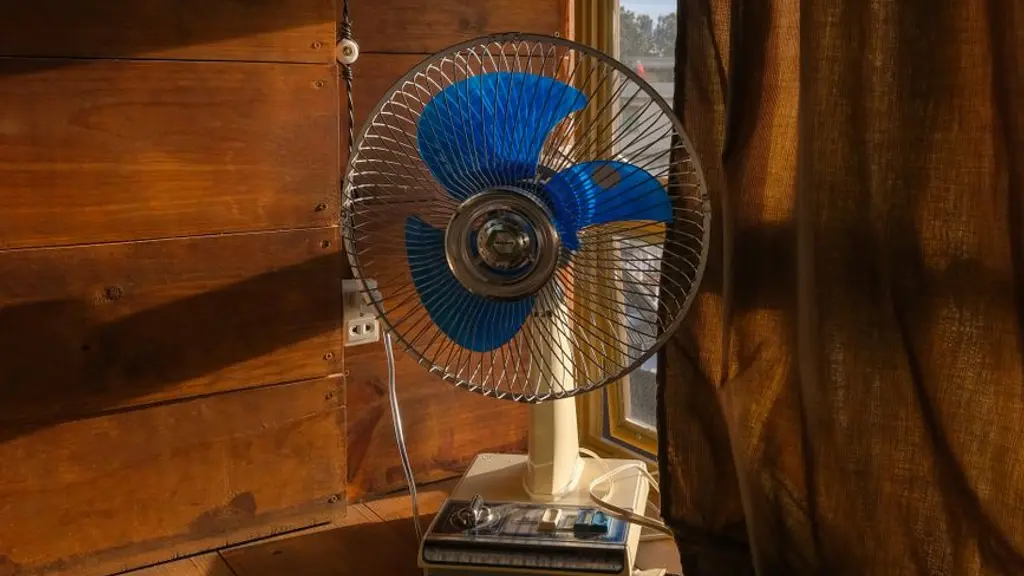
Switch off and unplug a portable fan, wait for its blades to stop, then clean accessible dust as its manual directs. Remove a grille or wash a detached part only when the exact model permits it. Keep the motor, controls, cable and plug dry, and refit all guards before use.
What should I do if my fan still smells after cleaning?
Stop using a fan that produces a burning smell, unusual heat, smoke or electrical noise. Do not keep running it to clear the odor or assume that new plastic makes the smell harmless. With power disconnected safely, check only the external condition and accessible dust that the manual allows you to inspect. Do not open the motor, spray cleaner through vents or add oil. If an unexplained smell persists after permitted cleaning, leave the fan off and ask its manufacturer or a qualified repairer for help. Record the model, when the smell began and any slowing, humming or visible damage. Cleaning can remove dirt, but it cannot establish that an electrical fault has been repaired or that another test run is safe.
Choose a method before undoing screws
Put a portable fan on a stable surface and find its model label. Honeywell’s cleaning support explains why even similar-looking fans can have different grille access. A visible screw or a part that moves easily is not proof that the user should remove it.
| Fan type | Check first |
|---|---|
| Stand or desk | Approved grille/blade access and permitted cleaning method |
| Tower | Whether the grille is user-removable or external care only |
| Ceiling | Safe electrical isolation and stable access without loading the blades |
| Rechargeable | Device shutdown and battery-care instructions as well as charger disconnection |
Keep the removed fasteners together if the manual permits dismantling. Stop if a guard resists removal or will not align during refitting; forcing it is not a cleaning step.
Clean the grille and accessible surfaces
Use the cloth or soft-brush method allowed by the manual. Only wash a detached, non-electrical part when its instructions explicitly permit washing. Never immerse the assembled fan or spray liquid into its motor or controls.
Allow permitted washed parts to dry completely as instructed. Half an hour or an hour is not a guarantee that hidden moisture is gone. If water has reached electrical parts, do not reconnect the fan to test it. Obtain qualified advice.
Ceiling and rechargeable fans need different preparation
For a ceiling fan, isolate the supply as directed and use a safe, stable means of access. Avoid pulling or leaning on its blades. If you cannot reach it safely, arrange appropriate help instead of balancing on furniture. Do not disturb ceiling wiring as part of dusting.
A rechargeable fan may still run after the charging cable is removed. Follow the device’s shutdown instructions before cleaning, and keep its battery housing out of water. A pedestal-fan tutorial does not establish how its small grille opens.
Check condition, not a universal calendar
Follow any maintenance interval in the manual and inspect visible dust between cleanings. The room and frequency of use matter, particularly before taking a stored fan back into service. Electrical Safety First advises checking cables and vents and stopping for burning smells or unusual noise.
Persistent wobbling, slowing or noise needs assessment rather than a claim that the motor has reached the end of its life. Compare a repair quotation, warranty position and replacement cost after the fault is known.
Continue with choosing a fan, the stand-fan shortlist or quiet bedroom fans. Separate questions have guides to electricity consumption, fan prices and the fans hub.
About this guide
- Editing
- Mizaan Home editorial team
- Text revised
Research based on published specifications, without hands-on testing. How we choose
This analysis is based on published information from Honeywell Store: fan cleaning support, Electrical Safety First: electric fan safety.
Frequently asked questions
Can I wash fan blades?
Only if the exact model permits removing and washing that part. Keep electrical components dry and refit all guards correctly.
How long should I wait before switching it on?
Follow the drying instructions and wait for complete drying, not a fixed number of minutes. If water reached electrical parts, do not reconnect it for a test.
Should I run a new fan until a plastic smell clears?
Do not assume an unexplained smell is harmless. Check the exact first-use instructions and contact support; stop immediately for burning or electrical symptoms.
Does noise after cleaning mean I need a new fan?
No diagnosis follows from noise alone. Ask for an assessment and compare repair, warranty and replacement options once the fault is known.